

Introduction
Phishing is one of the most common and damaging cyber threats facing individuals and organizations today. In a conversational, practical way, this guide explains what phishing is, the tactics attackers use, how to spot scams, and the concrete steps you can take to prevent and respond to incidents. Whether you’re a small business owner, IT leader, or everyday user, you’ll get actionable advice and recommended tools to reduce risk.
What is phishing?
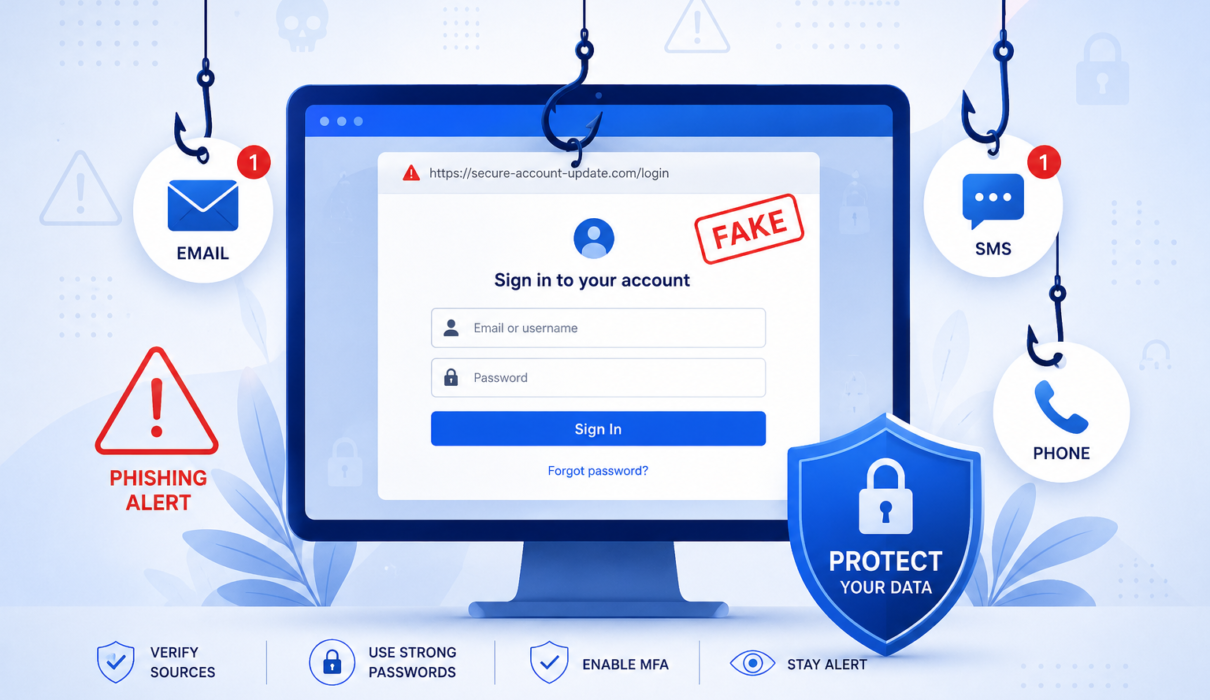
Phishing is a social engineering attack where criminals trick people into revealing sensitive information, clicking malicious links, or installing malware. Attackers impersonate trusted entities—banks, colleagues, software vendors, or even government agencies—to manipulate victims into taking an action that compromises security.
Common types of phishing
- Email phishing: Mass emails that appear legitimate but include malicious links or attachments.
- Spear phishing: Targeted attacks aimed at a specific person or organization, often using personal information to increase credibility.
- Whaling: A type of spear phishing aimed at executives or high-value targets.
- Smishing: SMS/text message phishing that tries to get users to click links or call scam numbers.
- Vishing: Voice phishing via phone calls that attempt to extract credentials or authorize transactions.
- Pharming: Redirecting users from legitimate websites to fake ones, often through DNS manipulation or compromised routers.
How phishing attacks work
At a high level, phishing attacks follow a predictable flow: reconnaissance, contact, and exploitation.
Reconnaissance
Attackers gather information about the target from public profiles, company websites, or data breaches. The more they know, the more convincing their message will be.
Contact
The attacker reaches out via email, SMS, phone, or social media, posing as someone the victim trusts. The message usually contains urgency, a request, or an offer designed to bypass critical thinking.
Exploitation
If the victim takes the bait—clicking a link, opening an attachment, or entering credentials—attackers can steal data, install malware, or pivot inside a company network.
How to recognize phishing
Recognizing phishing requires a mix of skepticism and practical checks. Below are clear indicators and verification steps you can use immediately.
Red flags in emails
- Generic greetings like “Dear Customer” instead of your name.
- Unexpected attachments or links, especially with file types like .exe, .zip, or .scr.
- Urgent language demanding immediate action (“act now”, “your account will be closed”).
- Sender addresses that almost match legitimate ones but include subtle typos or extra characters.
- Requests for passwords, payment details, or multi-factor authentication codes.
Website and link checks
- Hover over links to verify the URL before clicking. If it looks odd, don’t click.
- Look for HTTPS and a valid certificate, but remember HTTPS alone doesn’t guarantee legitimacy.
- Check the domain carefully: attackers use lookalike domains and subdomains to mimic real sites.
Phone and SMS indicators
- Unexpected calls asking for credentials or verification codes.
- Links in texts that ask you to urgently log into an account.
- Caller ID spoofing that shows a known organization, but the call content is suspicious.
Practical phishing prevention techniques
Prevention is a layered effort. No single step will eliminate risk, but combining technical controls, training, and policies will significantly reduce the likelihood and impact of phishing attacks.
For individuals
- Enable multi-factor authentication (MFA) on accounts where available—especially email and financial services.
- Use a reputable password manager to create and store unique passwords.
- Keep your operating system and apps up to date to reduce vulnerabilities attackers can exploit.
- Think before you click: verify senders, inspect links, and don’t download unexpected attachments.
- Use built-in email filtering and anti-phishing features in your provider (Gmail, Outlook, etc.).
For businesses
- Deploy enterprise-grade email security with phishing protection and URL rewriting to sandbox suspicious links.
- Implement DNS filtering and web proxies to block malicious or known-bad domains.
- Require MFA across critical systems and enforce strong password policies.
- Run regular security awareness training and phishing simulations for staff.
- Create and test an incident response plan so your team knows exactly what to do if someone clicks a malicious link.
Anti-phishing tools and services
Consider these categories of solutions to harden defenses:
- Email security gateways (cloud or on-premises).
- Secure email gateways with AI-driven phishing detection.
- DNS filtering and secure web gateways.
- Endpoint protection platforms and EDR tools.
- Security awareness platforms for continuous training and simulated phishing.
Immediate actions after a suspected phishing incident
If you think you or your organization fell for a phishing attack, act quickly to limit damage.
Step-by-step incident guidance
- Disconnect the device from the network to prevent lateral spread of malware.
- Change compromised passwords from a known-good device and revoke any active sessions.
- Revoke or reissue affected credentials and reset MFA where necessary.
- Scan systems with updated antimalware tools and inspect logs for unusual activity.
- Notify your IT/security team and, for businesses, follow your incident response plan and regulatory notification requirements.
Building long-term resilience
Resilience comes from a mix of technology, people, and process. Here are practical steps to embed anti-phishing practices into your organization.
- Make phishing awareness part of onboarding and run quarterly training refreshers.
- Use simulated phishing campaigns to measure susceptibility and tailor training.
- Establish clear reporting channels so employees can report suspicious messages without fear.
- Document and review phishing incidents to improve controls and update playbooks.
- Integrate threat intelligence feeds to block emerging phishing domains and campaigns.
Common misconceptions about phishing
- Myth: Only large companies get targeted. Fact: Attackers probe all sizes—small businesses are attractive because defenses may be weaker.
- Myth: I have antivirus so I’m safe. Fact: Antivirus helps but phishing uses social engineering to bypass signature-based protections.
- Myth: I would know a fake site. Fact: Modern phishing pages can be nearly identical to real sites and use legitimate domains.
FAQ
How do I report a phishing email?
Most email providers include a “report phishing” option. For businesses, forward the email to your security team or designated reporting address. You can also report to authorities like the FTC in the US or your national cyber agency.
Can phishing be prevented completely?
No control is perfect, but a layered defense including email filtering, MFA, user training, and incident response can drastically lower risk and impact.
What is spear phishing and why is it dangerous?
Spear phishing is a targeted form of phishing that uses personal or corporate data to create convincing messages. It’s dangerous because it increases the likelihood of recipients taking action.
Are browser warnings enough to stop phishing?
Browser warnings help but aren’t foolproof. Users sometimes ignore warnings, and attackers can host phishing pages on sites that appear safe. Combine browser protections with email filtering and training.
Which anti-phishing tools should I consider?
Look at email security solutions, secure web gateways, DNS filtering, endpoint protection, and security awareness platforms. Evaluate based on your organization’s size, email volume, and regulatory needs.
What should I do if I accidentally entered my password on a phishing page?
Immediately change that password from a safe device, enable MFA if not already active, and monitor accounts for unauthorized activity. Inform your IT team if this happened on a work account.
Authority and further reading
For up-to-date advice and resources, consult reputable sources such as the Cybersecurity and Infrastructure Security Agency (CISA), the Federal Trade Commission (FTC), and the National Institute of Standards and Technology (NIST).
Conclusion
Phishing is a persistent and evolving threat, but it’s manageable. The key is awareness, layered defenses, and a tested response plan. For individuals, enabling MFA, using a password manager, and staying skeptical of unsolicited messages are high-impact steps. For businesses, combine technical controls—email security, DNS filtering, EDR—with ongoing training and simulated phishing exercises. If you want help selecting anti-phishing tools or designing a training program, consider consulting a trusted security provider to assess your unique risk and recommend solutions that fit your budget and environment.
Stay vigilant: one cautious click can prevent a costly security incident.