

Introduction
If you’re managing your own business finances, choosing the right accounting solution is crucial. Xero accounting software has emerged as a popular choice among small businesses and freelancers, thanks to its intuitive tools, cloud-based flexibility, and transparent pricing. In this comprehensive guide, we’ll explore everything you need to know about Xero—from its key features to how it stands up against competitors. Whether you’re new to accounting software or looking to switch systems, this post will help you make the best decision for your business.
What Is Xero Accounting Software?
An Overview of Xero
Xero is a cloud-based accounting platform designed to simplify financial management for businesses of all sizes. Since launching in 2006, Xero has grown rapidly, boasting over three million subscribers across more than 180 countries. The software aims to make bookkeeping straightforward, automate repetitive tasks, and foster collaboration between business owners and accountants.
- 100% cloud-based for anytime, anywhere access
- Automatic bank feeds and reconciliations
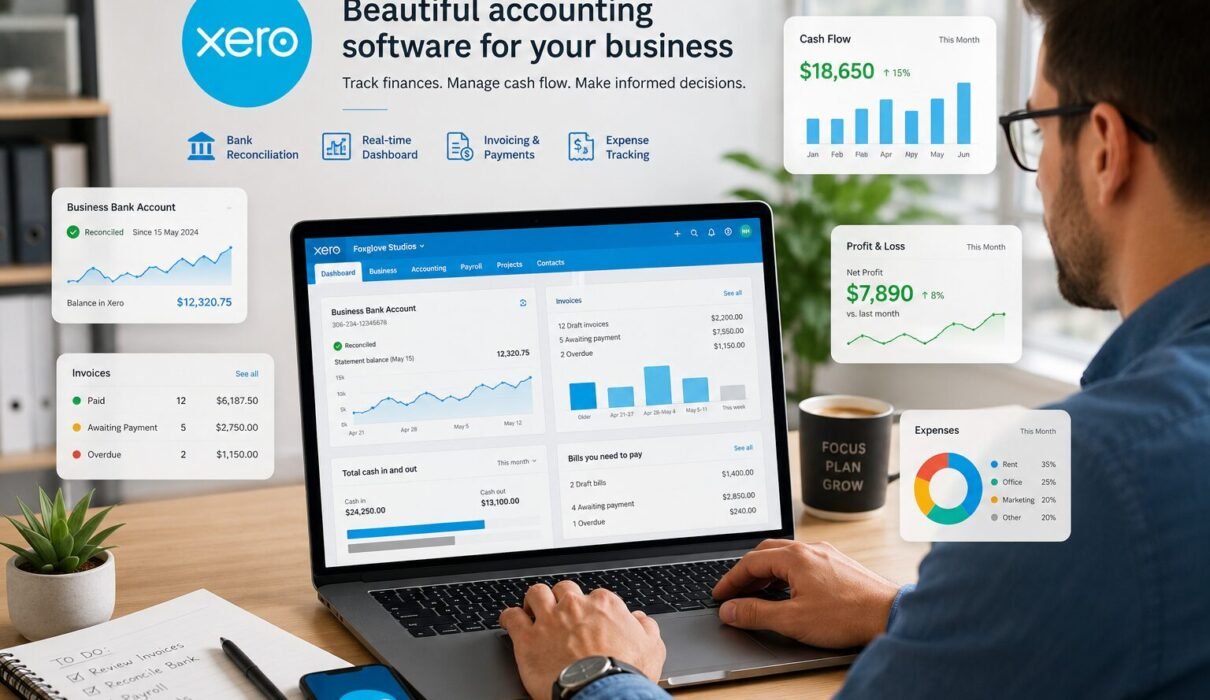
- Real-time financial reporting and dashboards
- Customizable invoicing and payment tracking
Core Features of Xero Accounting Software
Streamlined Bookkeeping
Xero automates much of the bookkeeping process. Users can connect bank accounts to import transactions automatically. The reconciliation tool allows you to match transactions with invoices quickly, reducing manual input and minimizing errors.
Invoicing and Payments
With Xero, creating professional invoices takes minutes. You can set up recurring invoices, accept payments online, and chase overdue bills with automatic reminders. Xero integrates with major payment gateways like Stripe and PayPal for convenient client payments.
Expense Management
Expense claims are simple with mobile receipt capture and categorization. You can approve or reject expenses, attach receipts, and stay on top of reimbursable items, all from one dashboard.
Payroll and Employee Management
Xero offers integrated payroll in several countries, making it easy to run pay runs, manage time off, and comply with tax regulations. With employee self-service, staff can view payslips and submit leave requests online.
Financial Reporting
Generate instant financial reports, including profit and loss, balance sheet, and cash flow statements. Customizable dashboards help you track KPIs and monitor your business’s health in real time.
- GST/VAT support and multi-currency capabilities
- Inventory tracking and stock management
- Project accounting and time tracking
Who Is Xero Accounting Software Best For?
Small Businesses
Small companies benefit from Xero’s scalability. Whether you’re running a retail store, consultancy, or online startup, Xero adapts to fit your financial processes. Integration with ecommerce, point-of-sale, and CRM apps is seamless.
Freelancers and Self-Employed Professionals
Freelancers appreciate Xero’s simplicity and affordable entry-level plans. Automated invoicing, expense tracking, and tax management save time, letting you focus on your work rather than paperwork.
Accountants and Bookkeepers
Xero’s cloud platform lets accountants access client accounts from anywhere. It also offers a dedicated partner program for accounting professionals, with tools for client management and reporting.
Advantages of Using Xero Accounting Software
- User-Friendly Interface: Intuitive navigation, clean dashboards, and easy onboarding.
- Strong Automation: Bank feeds, rules-based reconciliations, and recurring transactions.
- Cloud Flexibility: Access your accounts from any device, anywhere in the world.
- Collaboration Features: Invite unlimited users and work simultaneously with your accountant.
- App Ecosystem: Over 1,000 third-party integrations for business workflows.
Xero Accounting Software vs. Competitors: QuickBooks, FreshBooks, Wave
Comparison Table: Xero vs. Top Alternatives
| Feature | Xero | QuickBooks Online | FreshBooks | Wave |
|---|---|---|---|---|
| Cloud-Based | Yes | Yes | Yes | Yes |
| Pricing (Entry) | From $13/mo | From $30/mo | From $17/mo | Free |
| Users (Base Plan) | Unlimited | 1 + Accountant | 1 + Accountant | Unlimited |
| Payroll | Yes (Add-on) | Yes (Add-on) | Yes (Add-on) | No |
| Inventory | Yes | Yes (Higher tier) | No | No |
| App Integrations | 1,000+ | 650+ | 100+ | 50+ |
Xero vs. QuickBooks Online
While QuickBooks Online is still the most recognized small business accounting software, Xero stands out for unlimited users at every price point and a more modern, user-friendly interface. Xero’s pricing is often more attractive for growing teams.
Xero vs. FreshBooks
FreshBooks offers excellent invoicing for freelancers, but lacks inventory and advanced reporting tools. Xero’s richer feature set makes it a better fit for growing businesses with complex needs.
Xero vs. Wave
Wave’s free tier is popular for new freelancers. However, Xero’s comprehensive tools, stronger automation, and premium support justify its cost for businesses looking to scale.
Setting Up Xero: Getting Started in Five Steps
- Sign Up: Register for a free trial on Xero’s website.
- Set Up Your Organization: Enter business details and customize financial settings.
- Connect Bank Accounts: Enable automatic transaction imports for easy reconciliation.
- Customize Invoices: Add your brand and payment terms to templates.
- Invite Your Team: Add users and set permissions for collaboration.
Xero Pricing and Plans
Understanding the Costs
Xero offers three main pricing tiers, each designed for different business stages:
- Early: For sole traders and new businesses, limited invoices and bills ($13/month USD).
- Growing: Unlimited invoicing, bills, and bank reconciliation ($37/month USD).
- Established: Additional features like multi-currency and project tracking ($70/month USD).
All plans include unlimited users. Payroll and advanced analytics are available as add-ons. Xero occasionally offers discounts or extended free trial periods for new customers.
Integrating Xero with Other Business Tools
Popular App Connections
- Payment Gateways: Stripe, PayPal, Square
- Ecommerce Platforms: Shopify, WooCommerce, Amazon
- CRM & Project Management: HubSpot, Trello, Asana
- Inventory: Unleashed, DEAR Systems
Integration is simple—just search the Xero App Store and follow the setup guide for each app.
Security, Data Protection, and Compliance
How Xero Keeps Your Data Safe
Xero accounting software uses industry-standard encryption, two-step authentication, and secure data centers to protect your information. Automatic backups and audit trails ensure business continuity and compliance with major financial regulations. Xero complies with GDPR and other global data protection laws, giving you control over your data at all times.
Customer Support and Resources
Getting Help with Xero
- 24/7 online support via chat and email
- Dedicated help center and extensive guides
- Active community forum for peer-to-peer support
- Regular product updates and webinars
Xero’s support team is known for quick responses and knowledgeable assistance, helping users solve issues efficiently.
Key Takeaways
- Xero is a cloud-based accounting software designed for ease of use and automation.
- It’s ideal for small businesses, freelancers, and accountants wanting scalable tools.
- Unlimited users, extensive integrations, and powerful features set Xero apart from key competitors.
- Pricing is transparent, with a free trial available for risk-free testing.
- Strong security and compliance measures protect your business data around the clock.
Frequently Asked Questions (FAQ)
Is Xero accounting software easy to use for beginners?
Yes. Xero offers a clean, intuitive interface and plenty of onboarding support, making it accessible even for those new to accounting software.
Can I use Xero on my mobile devices?
Absolutely. Xero’s mobile app is available for both Android and iOS, enabling users to invoice, capture receipts, and view reports on the go.
Does Xero handle tax filing?
Xero provides tools for managing sales tax, GST, and VAT, and offers integrations with tax filing solutions in supported countries.
How secure is Xero?
Xero uses industry-standard encryption, two-step authentication, and meets global compliance standards for your peace of mind.
Is Xero good for scaling businesses?
Yes. With unlimited users and advanced features in higher tiers, Xero is suitable for both growing small businesses and larger teams.
Conclusion
Xero accounting software offers a complete package for business owners who value simplicity, reliability, and powerful automation. Its cloud-based platform and transparent pricing outshine many competitors, while robust integrations and customer support ensure a smooth user experience. For freelancers, growing businesses, and accountants alike, Xero is a proven choice for managing finances efficiently and with confidence.
Call to Action
Ready to simplify your business finances? Try Xero accounting software with a free 30-day trial and experience modern accounting built for you. Have more questions? Explore Xero’s support resources or connect with your accountant to get started today!