

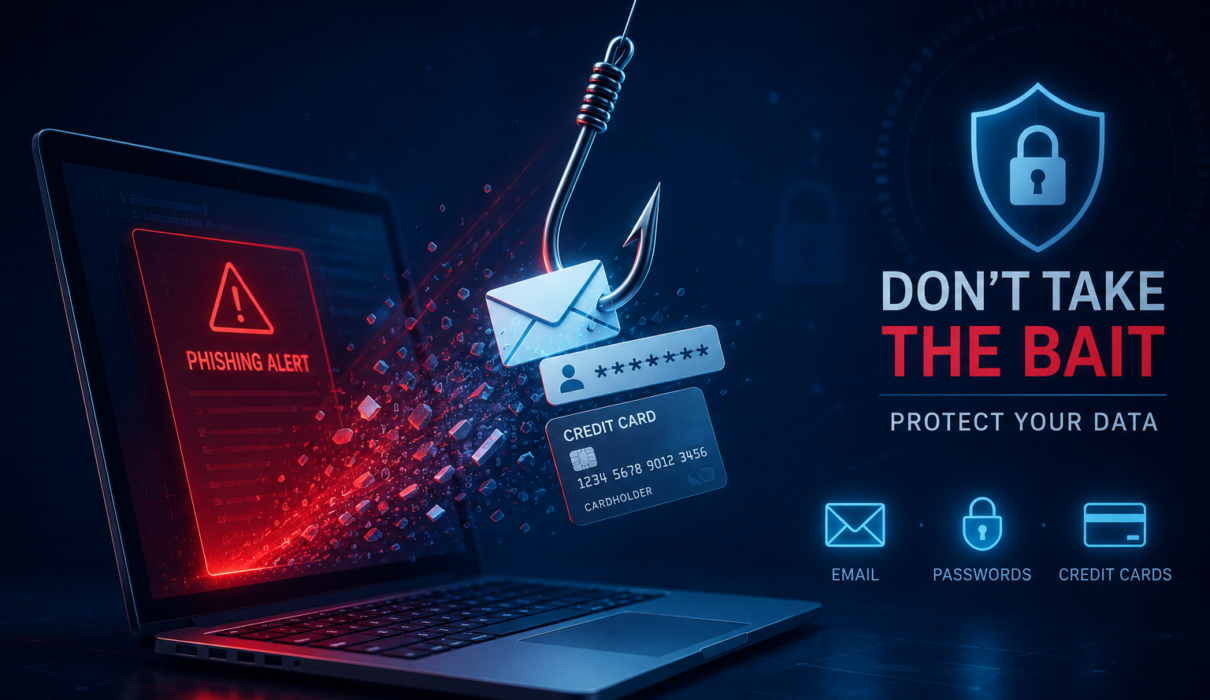
Hook: You check an email, click a link, and suddenly your personal information is at risk. Phishing is one of the most common and effective cyber threats today, but a few smart habits and the right tools can stop scammers in their tracks.
Introduction
Phishing is a type of social engineering attack that tricks people into revealing sensitive information or installing malicious software. Whether delivered by email, text, phone call, or social platform, phishing attacks exploit trust, curiosity, and urgency. This guide explains how phishing works, the types of scams you need to know, how to recognize red flags, and practical prevention strategies for both individuals and organizations. Along the way you’ll find recommended tools, policies, and action steps to reduce risk and respond effectively.
What Is Phishing?
At its core, phishing is deception. Attackers impersonate trusted entities to manipulate victims into taking actions that compromise security. Common goals include harvesting login credentials, stealing financial data, deploying ransomware, or establishing a foothold inside a company network.
Semantic variations to know
- Phishing attacks
- Phishing scams
- Email phishing
- Spear phishing
- Smishing and vishing
- Business email compromise
Common Types of Phishing Attacks
Email phishing
Email phishing is the classic form. Attackers send mass or targeted emails designed to look like they come from a bank, service provider, colleague, or vendor. These messages often include links to fake login pages or attachments containing malware.
Spear phishing
Spear phishing is targeted. Attackers research their victims and craft messages that appear highly relevant and trustworthy. These messages are often sent to executives, HR staff, or anyone with access to sensitive systems.
Smishing and vishing
Smishing uses SMS text messages to lure victims, while vishing uses voice calls. Both rely on urgency and impersonation, for instance pretending to be a bank alert or IT help desk call.
Business Email Compromise (BEC)
BEC attacks impersonate a company executive, vendor, or partner to request fraudulent wire transfers or confidential data. These scams can result in large financial losses and reputational damage.
How Phishing Works: The Attack Chain
- Reconnaissance: Attackers gather publicly available data and tailor their approach.
- Crafting the lures: Malicious emails, texts, or webpages are prepared to look legitimate.
- Delivery: The message reaches the target via email, SMS, or voice.
- Action: The victim clicks a link, opens an attachment, or provides credentials.
- Exploitation: Attackers use stolen credentials, deploy malware, or escalate privileges.
- Monetization: Data is sold, accounts are drained, or ransomware is deployed.
How to Recognize Phishing Scams
Spotting phishing requires a mix of skepticism and awareness. Look for these red flags:
- Unexpected requests for login credentials or personal information.
- Poor spelling, grammar, or awkward phrasing.
- Urgent language demanding immediate action.
- Sender email addresses that look similar but are slightly off.
- Links that do not match the claimed sender or domain on hover.
- Attachments with uncommon file types or compressed archives.
- Requests to bypass normal procedures, such as using personal email for business transactions.
Quick verification steps
- Hover over links to check the real URL before clicking.
- Verify unusual requests through a separate channel (call or chat the sender directly).
- Check with IT or security teams when in doubt.
- Use multi-factor authentication to reduce the impact of stolen passwords.
Prevention Strategies for Individuals
Individuals can significantly reduce phishing risk by combining good habits with defensive tools.
Practical steps
- Enable two-factor authentication (2FA) on all important accounts.
- Use a reputable password manager to create and store strong, unique passwords.
- Keep operating systems, browsers, and apps up to date.
- Avoid clicking links or downloading attachments from unknown senders.
- Be cautious with public Wi-Fi; use a VPN when accessing sensitive services.
- Turn on phishing protection features in your email provider and browser.
Tools that help
- Password managers: LastPass, 1Password, Bitwarden
- Anti-phishing browser extensions and built-in protections in Chrome, Edge, and Firefox
- Mobile security apps that scan SMS and apps for phishing
Prevention Strategies for Businesses
Organizations need layered defenses: technology, training, and process. A single weak link can expose the whole network.
Technical controls
- Email authentication: Implement SPF, DKIM, and DMARC to reduce spoofing.
- Secure email gateways: Filter phishing messages and block malicious attachments.
- Endpoint protection: Use EDR and antivirus to detect and quarantine malware.
- Web filtering: Block access to known phishing and malicious domains.
Human and process controls
- Regular security awareness training and phishing simulation campaigns.
- Clear incident response plans that include containment, communication, and recovery steps.
- Least privilege access and regular audits of user permissions.
- Vendor verification procedures for financial or sensitive requests.
Incident Response: If You or Your Company Is Targeted
Preparation matters. When a phishing event occurs, follow a clear playbook to reduce damage.
- Isolate affected systems to prevent lateral movement.
- Reset compromised credentials and revoke active sessions.
- Collect indicators of compromise for threat hunting and forensics.
- Notify stakeholders and, if required, regulators or law enforcement.
- Run a root cause analysis and update controls to prevent recurrence.
Tools and Solutions to Consider
There is no single silver bullet, but these categories help form a robust defense.
- Secure Email Gateways (SEG) and anti-spam filters
- Phishing simulation and user awareness platforms
- Multi-factor authentication and modern identity providers
- Endpoint Detection and Response (EDR) tools
- Security Orchestration, Automation, and Response (SOAR) for incident automation
Best Practices Checklist
- Enable 2FA on all critical accounts.
- Use a password manager and unique passwords.
- Train employees on phishing indicators and run simulations quarterly.
- Implement SPF, DKIM, and DMARC for business email domains.
- Maintain up-to-date backups and offline recovery options.
- Keep software patched and endpoints protected with EDR.
Frequently Asked Questions
Q: What is the difference between phishing and spear phishing?
A: Phishing often refers to broad, mass campaigns targeting many people with generic lures. Spear phishing is targeted and personalized, often using specific details about the victim to increase credibility.
Q: Can phishing happen on social media?
A: Yes. Attackers use direct messages, fake profiles, and malicious links on social platforms to trick users into revealing credentials or clicking harmful links.
Q: How fast should I act after falling for a phishing scam?
A: Act immediately. Change passwords, enable 2FA where possible, contact your IT or bank if financial information was exposed, and run a malware scan on affected devices.
Q: Do antivirus programs stop phishing?
A: Antivirus helps by detecting malicious attachments and known threats, but phishing primarily relies on social engineering. Combine antivirus with email filtering, 2FA, user training, and careful verification habits.
Q: Is public Wi-Fi safe for checking email?
A: Public Wi-Fi can be risky. Use a trusted VPN when accessing sensitive accounts, and avoid logging into critical services on unsecured networks.
Conclusion
Phishing is a persistent, evolving threat, but it is also one of the most preventable. By understanding how phishing attacks work, learning to spot red flags, and combining good habits with the right tools and organizational policies, individuals and businesses can dramatically reduce their exposure. Start with simple, high-impact steps: enable multi-factor authentication, use a password manager, implement email authentication, and run regular employee awareness training. With those layers in place, phishing scammers will have a much harder time succeeding.