

Hook: Why you should keep reading
Every day cybercriminals cast millions of fraudulent messages hoping someone will bite. Phishing is one of the easiest and most damaging attack methods, but most attempts can be avoided with simple habits and the right tools. If you want to stop worrying about suspicious emails and messages and instead recognize and neutralize phishing attacks, this guide is for you.
Introduction: What is phishing and why it matters
Phishing is a type of cyberattack where attackers attempt to trick people into revealing sensitive information, installing malware, or taking actions that compromise security. These scams often arrive by email, text message, phone call, or social media. Phishing can target anyone — individuals, small businesses, and large enterprises — and its consequences range from stolen credentials to costly business email compromise and data breaches.
How phishing works
Basic elements of a phishing attack
- Deceptive communication that appears legitimate
- A call to action (click a link, open an attachment, reply with info)
- Social engineering to create urgency or fear
- Malicious payload or credential harvesting on the attacker side
Common delivery channels
- Email phishing: the most prevalent vector
- Smishing: phishing by SMS or messaging apps
- Vishing: voice phishing via phone calls
- Social media phishing: fake profiles and messages
- Imposter or business email compromise: spoofed executives or vendors
Types of phishing attacks
Email phishing and clone phishing
Email phishing often imitates brands, banks, or coworkers. Clone phishing duplicates a legitimate message and replaces links or attachments with malicious ones.
Spear phishing and whaling
Spear phishing is targeted and tailored to a specific person or organization. Whaling targets high-value individuals like CEOs or CFOs with highly customized messages.
Smishing and vishing
Smishing uses text messages to lure victims, often with fake delivery alerts or bank notices. Vishing employs phone calls, sometimes using spoofed caller IDs to sound legitimate.
Real examples: what phishing looks like
Seeing concrete examples helps you spot similar attempts. Below are realistic samples that reflect common tactics.
Example 1: Fake invoice from a vendor
Subject: Invoice 2026-07 for Immediate Payment
From: billing@payvendor-support.com
Body: “Please review attached invoice and submit payment within 24 hours to avoid late fees.” Attachment: Invoice.pdf (malicious)
Example 2: Account verification scam
Subject: Verify your account now
From: support@bankofgreatness.com
Body: “We detected suspicious activity. Click the link to verify your identity or your account will be locked.” Link: http://bankofgreatness.verify-secure[dot]com
Example 3: CEO impersonation (business email compromise)
Subject: Urgent wire transfer
From: ceo@companycom (spoofed)
Body: “I need you to wire $35,000 to the attached account immediately. Send confirmation when done.”
How to detect phishing attempts
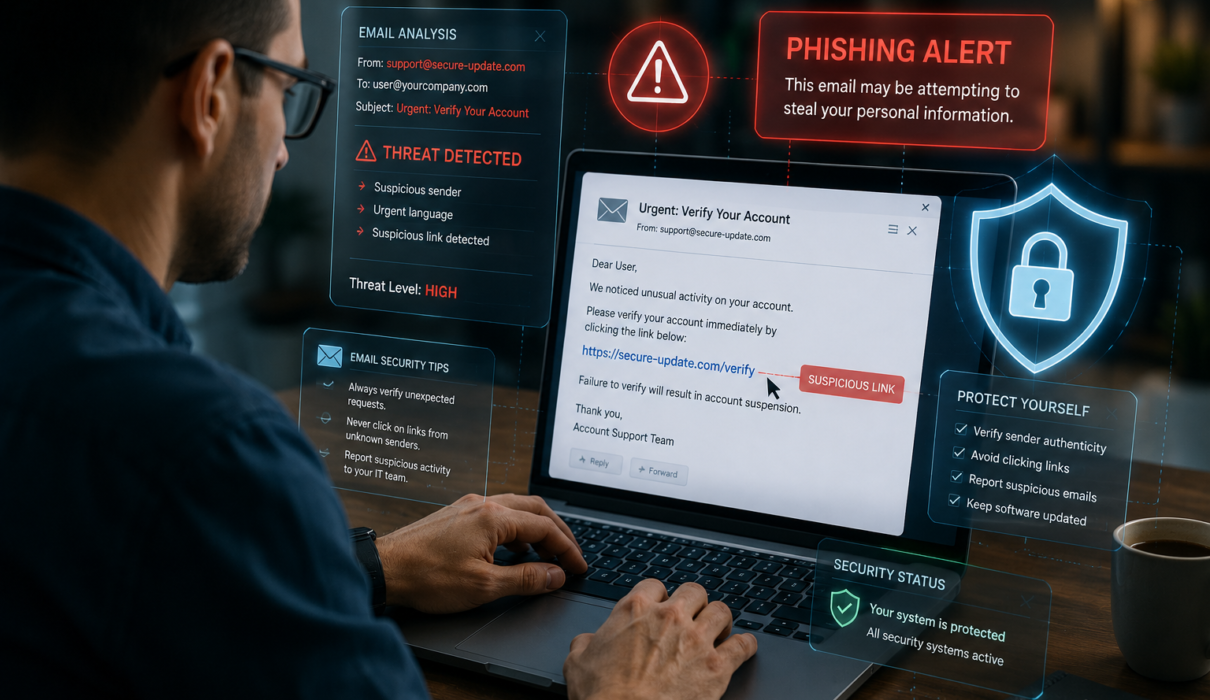
Train your eye for red flags. No single sign proves a message is malicious, but the presence of several should raise concern.
Top detection tips
- Check the sender address carefully for subtle typos or unusual domains
- Hover over links to preview the destination; do not click if the URL looks odd
- Beware of urgent calls to action or threats of account closure
- Look for poor grammar or awkward phrasing typical of many scams
- Confirm requests for money or sensitive data by contacting the requester through a verified channel
- Be suspicious of unexpected attachments, especially Office macros or executable files
- Verify digital signatures when available, and prefer known file sharing portals for invoices
Practical prevention methods
Prevention requires a mix of user habits, technical controls, and organizational policies. The good news is many defenses are inexpensive and easy to implement.
Personal and user-level defenses
- Use unique, strong passwords and a reputable password manager
- Enable two-factor authentication or multi-factor authentication everywhere possible
- Install and keep updated anti-malware and endpoint protection
- Be cautious with public Wi-Fi and consider using a VPN for sensitive tasks
- Learn to verify requests for sensitive actions via phone or a separate channel
Organizational and technical controls
- Enable email authentication standards: SPF, DKIM, and DMARC to reduce spoofing
- Use advanced email filtering and sandboxing to catch malicious attachments and links
- Deploy security awareness training and phishing simulations for employees
- Implement least privilege access and role-based access controls
- Use hardware security keys for high-value accounts and executive roles
- Keep software and servers patched to reduce malware exploitation vectors
Best anti-phishing tools and services
There are many solutions depending on needs and budget. Examples of reputable offerings include:
- Built-in filters: Google Workspace and Microsoft 365 advanced threat protection
- Email security vendors: Proofpoint, Mimecast, Barracuda
- Endpoint protection: Microsoft Defender for Endpoint, SentinelOne, CrowdStrike
- Browser tools and extensions: built-in Safe Browsing, anti-phishing extensions from known vendors
- Security awareness training: KnowBe4, Cofense, SANS training programs
What to do if you click a phishing link
Act fast. Time is critical to limit damage.
Immediate steps
- Disconnect the device from the network if malware is suspected
- Change passwords from a clean device, starting with email and financial accounts
- Enable and check multi-factor authentication logs for suspicious activity
- Run a full malware scan and engage IT or a security professional if needed
- Report the incident to internal security teams and, when appropriate, to authorities
How to report phishing
Reporting helps block the attack and protect others. Use these channels where applicable:
- Forward phishing emails to your email provider’s abuse address (eg, abuse@domain) or use the built-in report phishing option
- Report to government agencies: Federal Trade Commission (ftc.gov), Internet Crime Complaint Center IC3 (ic3.gov), and CISA alerts for the US
- Report brand impersonation to the impersonated company so they can take down malicious infrastructure
- Notify your IT/security team and, for businesses, consider legal and compliance reporting requirements
FAQ
Q: How is phishing different from a data breach?
A: Phishing is an attack method to trick people into giving up information or access. A data breach is the result when attackers access and exfiltrate protected data. Phishing is a common initial vector that leads to breaches.
Q: Can phishing be completely eliminated?
A: No. Phishing will likely always exist because it exploits human trust. However, layered defenses and continuous training can dramatically reduce success rates and impacts.
Q: How do I know if an email is spoofed?
A: Check the full email headers to see the actual sending server, confirm SPF/DKIM/DMARC results, and look for domain mismatches. If in doubt, verify through a separate, trusted channel.
Q: Is it safe to use attachments from coworkers?
A: Only if you expected the attachment and verified its legitimacy. Even internal accounts can be compromised, so be cautious with unexpected files and prefer secure file sharing platforms.
Q: What is spear phishing training and does it work?
A: Spear phishing training involves targeted simulations tailored to organizational roles. When combined with awareness education and follow-up, it measurably reduces the click-through rate and improves incident reporting.
Semantic variations and related keywords to know
- Phishing scam
- Email phishing
- Spear phishing
- Smishing and vishing
- Anti-phishing techniques
- Phishing prevention and detection
Conclusion: Make phishing resistance a habit
Phishing will keep evolving, but so can your defenses. Build simple habits like checking sender details, enabling multi-factor authentication, using a password manager, and reporting suspicious messages. Organizations should layer technical controls with ongoing training and robust incident response. With awareness and the right tools, you can dramatically reduce the risk and impact of phishing attacks.
Next steps and internal links
Want to go deeper? Check related guides on password best practices, two-factor authentication setup, and securing remote work. These pages will boost your overall cyber hygiene and complement anti-phishing measures.